Extend LightMesh entities with organisation-specific metadata
Custom Fields & Schema
LightMesh Schema lets administrators define custom fields on Subnets, IP Assignments, Zones, Sites, Datacenters, Customers, and Support Groups. Learn how inheritable custom fields attach site-specific metadata for filtering, reporting, and audit evidence.
Overview
The LightMesh Schema is the per-entity custom field system. Administrators define custom fields on Subnets, IP Assignments, Zones, Sites, Datacenters, Customers, and Support Groups to capture organisation-specific metadata the base IPAM data model doesn’t ship with. Fields can be made inheritable, so a value set on a parent zone or subnet cascades to children, carrying context like process area, site code, or maintenance owner down to every child subnet and IP assignment. Schema metadata is then available for filtering, reporting, and audit evidence across LightMesh.
Where to find it
Open the web application and navigate to Configuration → Schema.
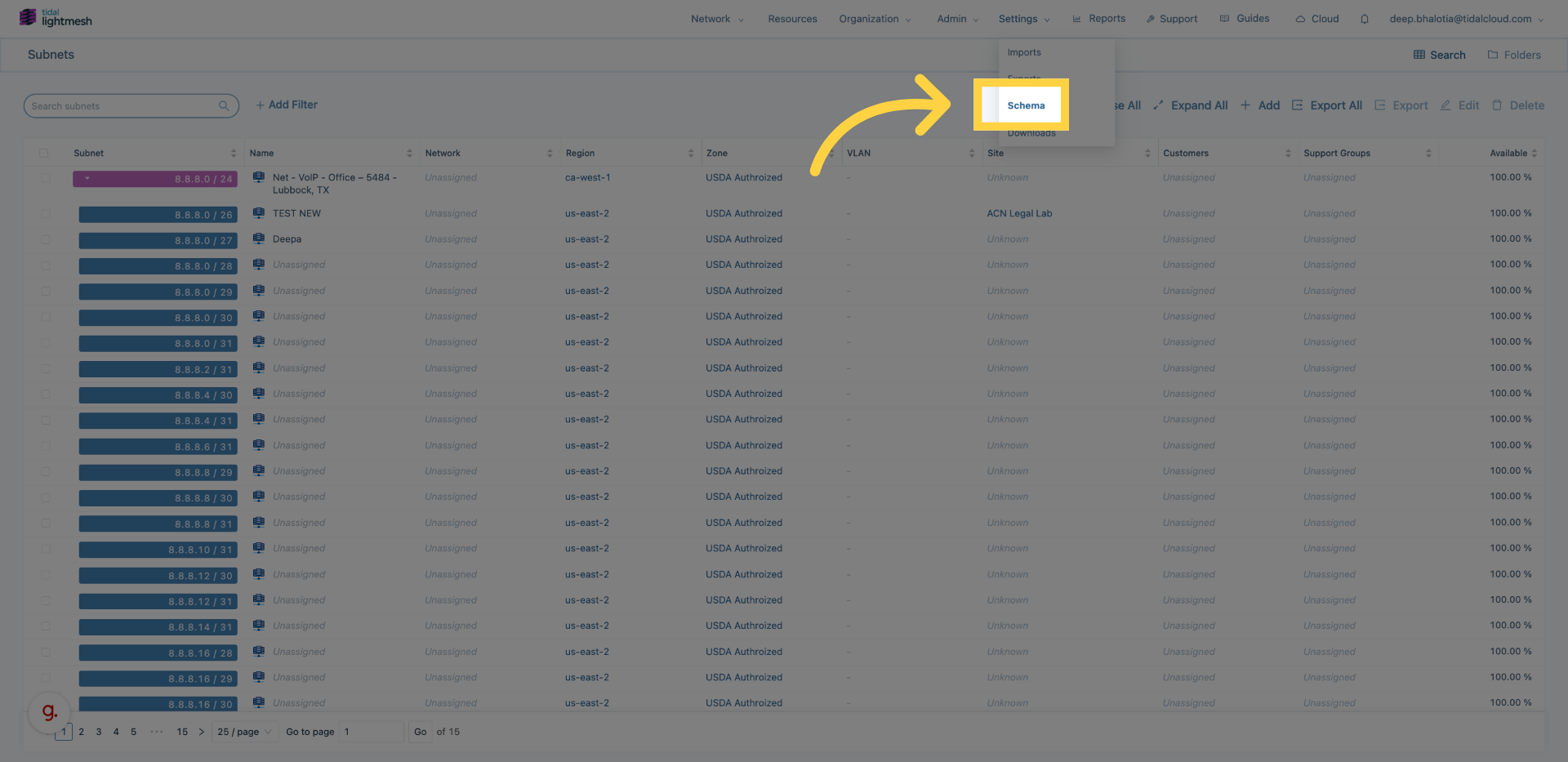
The Schema page lists every supported endpoint type and the custom fields already defined for it.
Supported endpoint types
| Entity | Example custom field |
|---|---|
| Subnets | process_area |
| IP Assignments | asset_owner |
| Zones | safety_criticality |
| Sites | site_code |
| Datacenters | region |
| Customers | account_manager |
| Support Groups | escalation_policy |
Field types
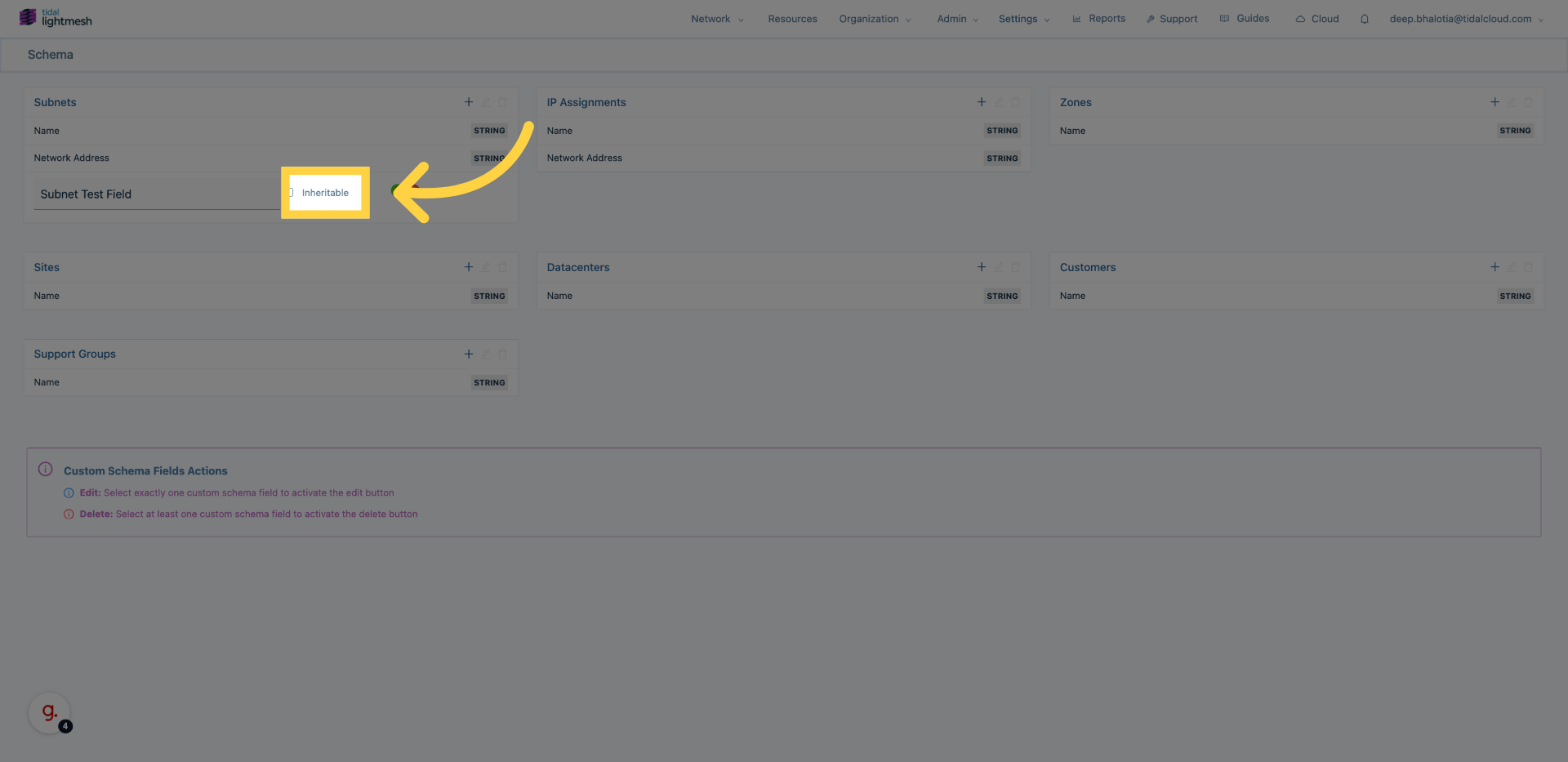
Schema fields are text fields by default. For each field you can decide whether it is inheritable. Depending on your LightMesh version, you may also be able to mark a field required or optional—check the options shown when you create the field. Marking a field inheritable means child objects receive the parent’s value until they are edited explicitly.
Inheritance explained
Imagine an inheritable field named process_area on a Zone called Control Network. When you set process_area = "Wastewater Treatment" on that zone, every child Subnet and IP Assignment inside the zone inherits that value automatically. If you later change the value on the Zone, the inherited value updates on all children that have not been overridden. Individual child Subnets or IP Assignments can still be edited to hold a different value; those explicit edits stop inheritance for that one object.
How to create a custom field
-
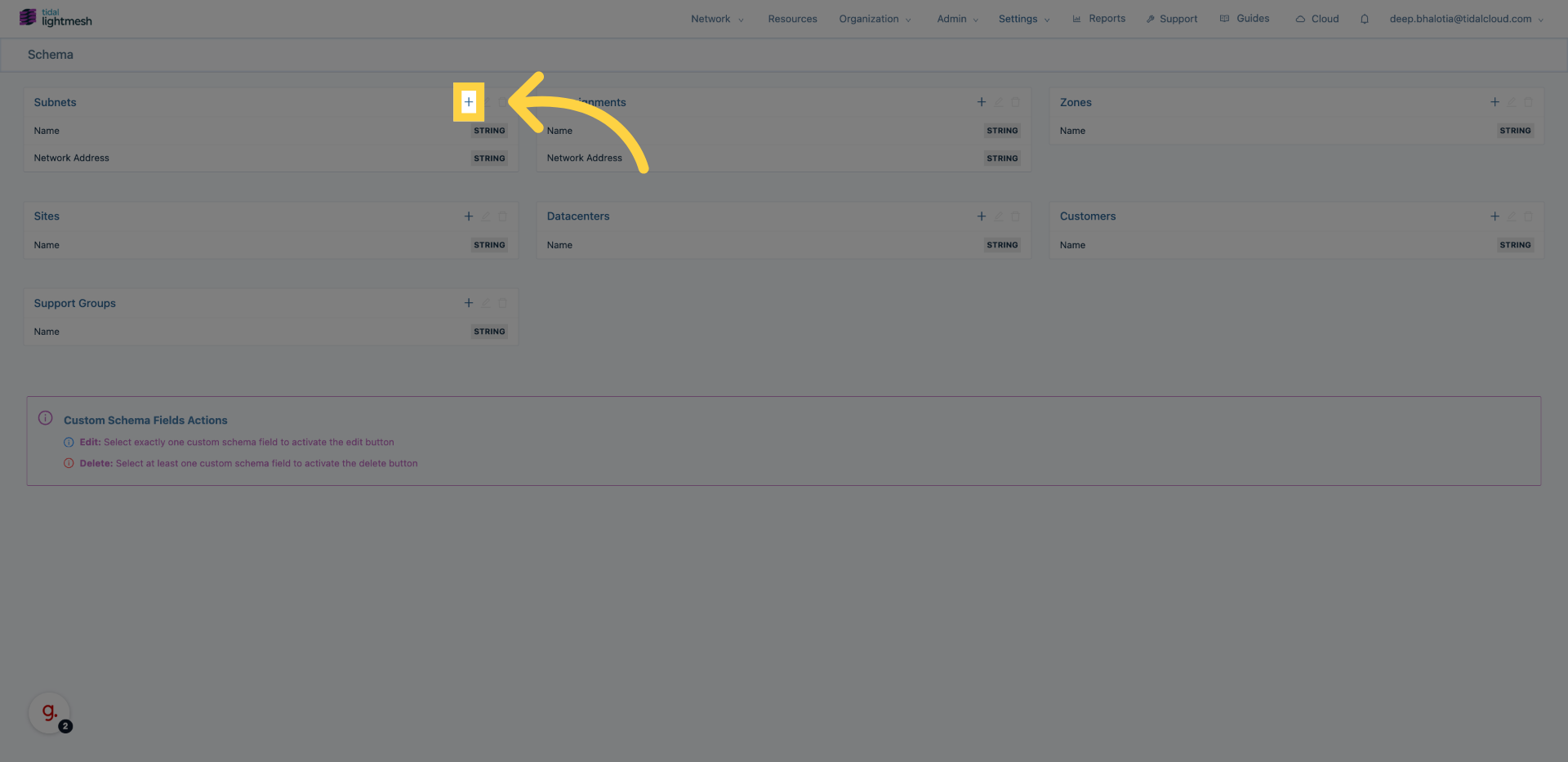
Go to Configuration → Schema.
-
Open the endpoint you want to extend, for example Subnets.
-
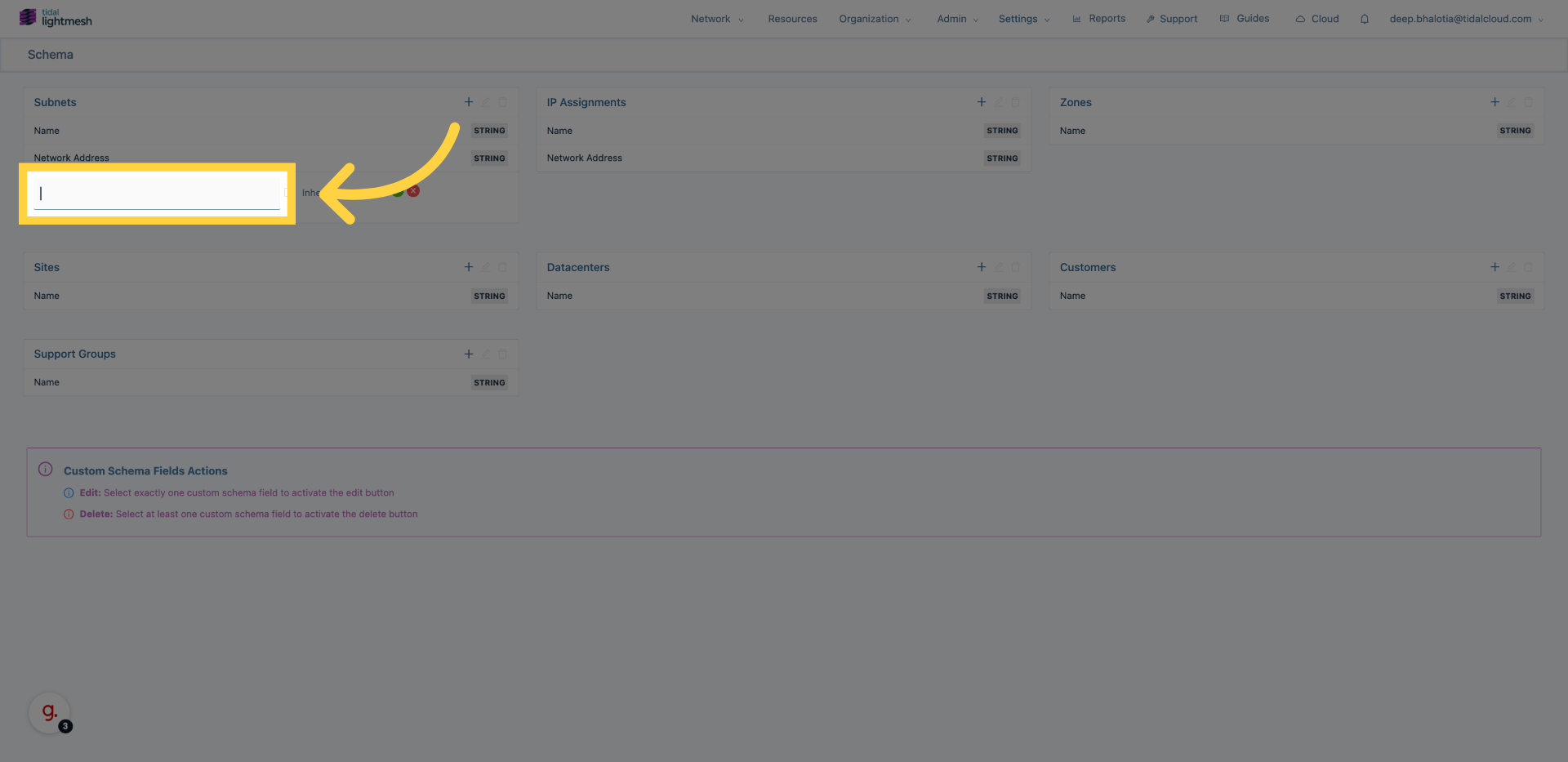
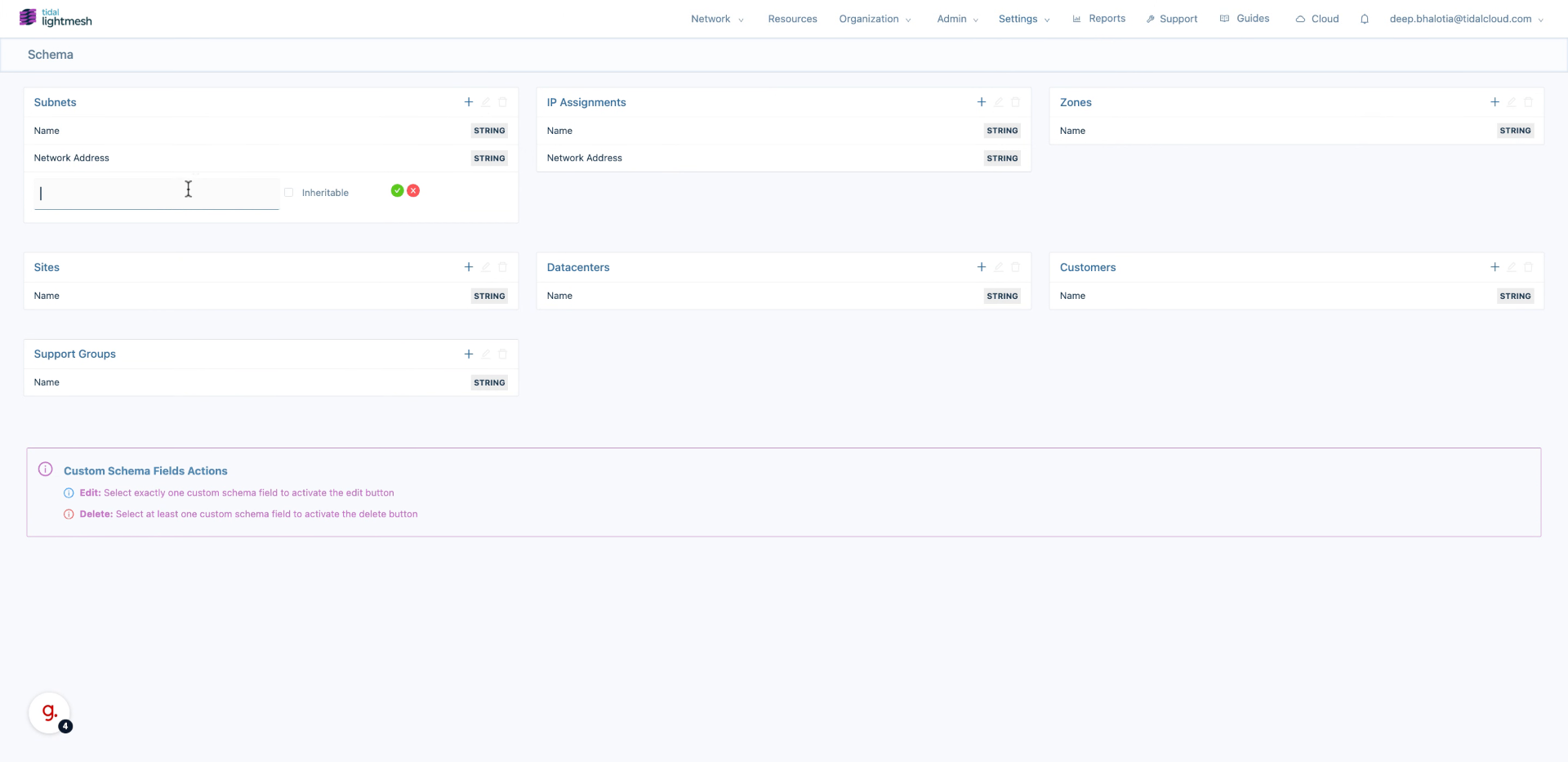
Start a new field and enter its name.
-
Choose whether the field should be inheritable.
-
Save the field.
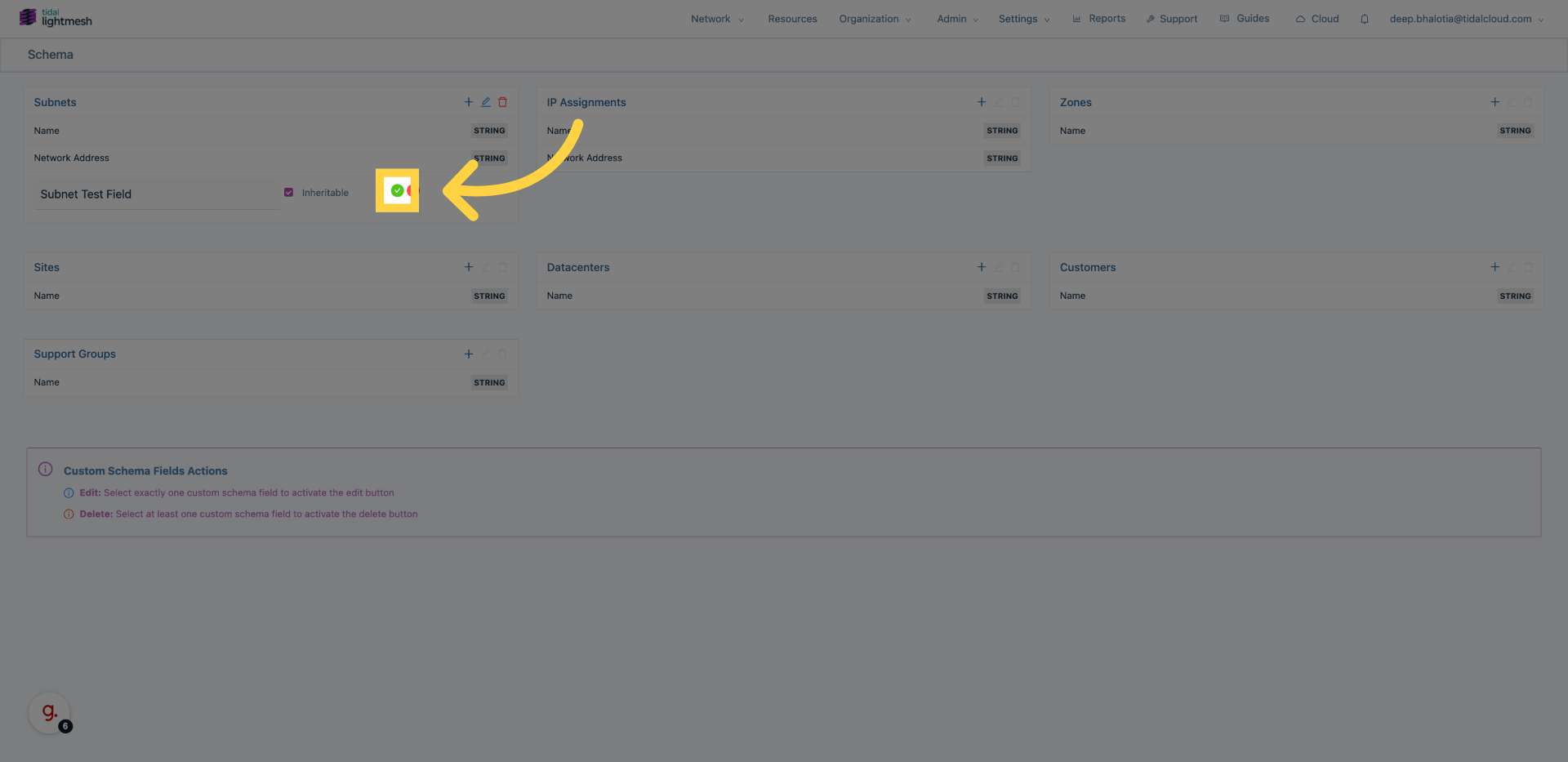
For a full step-by-step walkthrough, see the Custom Field training guide.
Use cases
- OT/ICS attribution. Model Purdue Model layers and tag control networks with process area, safety criticality, and maintenance owner. See Operational Technology (OT) Networks.
- Multi-site tagging. Apply consistent site codes and region labels across datacenters and sites. See Water & Wastewater.
- Audit evidence. Maintain asset inventory, ownership, and change context required by NERC CIP, NIST SP 800-82, ISA/IEC 62443, and CISA CPGs.
- Filtering and reporting. Use Schema values in lists and reports to slice address space by owner, region, process area, or support group.
Product boundaries
Schema fields are metadata only. They do not change subnet allocation logic, IP assignment behaviour, or cloud sync rules. They are stored with the entity and are searchable and filterable throughout the application.
FAQ
Can I delete a custom field after data exists? Deleting a field removes its definition and any stored values. Make sure you have exported or no longer need the historical data before deleting.
Are custom fields available via the GraphQL API? Yes. Custom field values are exposed on the relevant entities through the API documentation.
Do custom fields sync to cloud imports? No. Cloud imports bring in address space and resource metadata from providers. Custom field values must be managed inside LightMesh.
Can I make a field required? Support for required fields depends on your LightMesh version. Open Configuration → Schema, start creating a field, and check the available options for Required or Optional.