Manage how you sign in to LightMesh
Sign-in Methods
View, add, and remove sign-in methods on LightMesh SaaS — email and password, Google, Microsoft, and organization Okta SSO.
LightMesh supports multiple ways to sign in. On LightMesh SaaS (next.lightmesh.com), you can manage personal sign-in methods from Account → Sign-in Methods. Organization owners and administrators can also configure Okta SSO for everyone in the organization.
You must always keep at least one active personal sign-in method (email/password, Google, or Microsoft). Okta SSO is separate — it is configured at the organization level, not added to your personal method list.
SaaS only: Self-service sign-in method management is available on Tidal-hosted LightMesh SaaS. On self-hosted deployments, OAuth providers are linked automatically when you sign in; the Sign-in Methods page is not shown. See SaaS vs self-hosted below.
Choose the guide that matches what you want to do:
- Okta SSO — Configure organization-wide Okta single sign-on (Team plan or higher; owners and administrators).
- Email and password — Set a password after SSO signup, password requirements, and the keep-at-least-one-method rule.
- Google — Link or remove Google sign-in, account linking, and email notifications.
- Microsoft — Link or remove Microsoft sign-in, account linking, and deployment availability.
Open Sign-in Methods
- Sign in to next.lightmesh.com.
- Click your username in the top navigation.
- Select Account.
- In the left sidebar, choose Sign-in Methods.
The page URL is /account/sign-in-methods.
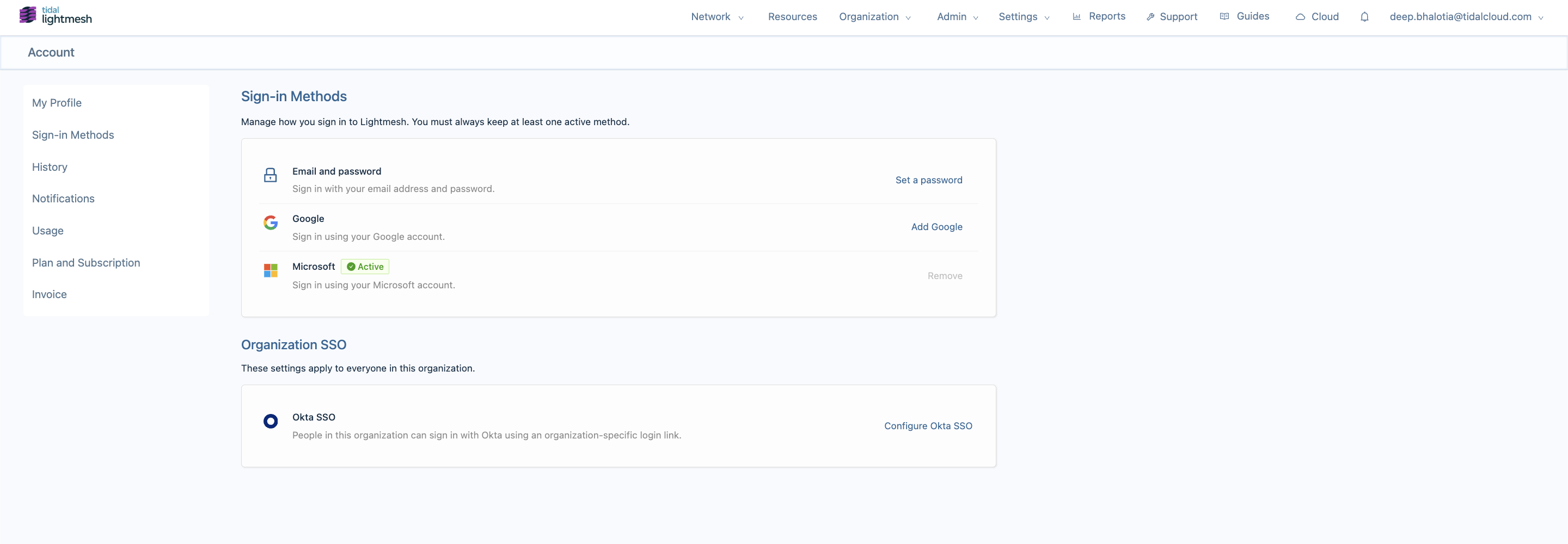
Viewing your active methods
Each row in the Sign-in Methods card represents one personal way you can authenticate:
| Method | Guide | When it appears |
|---|---|---|
| Email and password | Email and password | Always |
| When Google login is enabled, or already linked | ||
| Microsoft | Microsoft | When Microsoft login is enabled, or already linked |
| Okta SSO | Okta SSO | Organization setting — not a personal add/remove row |
Account linking on first SSO login
If you sign in with Google or Microsoft using an email that already has a LightMesh account, LightMesh may ask you to confirm linking instead of creating a duplicate. See Google or Microsoft for details.
Troubleshooting
The issues below apply to personal sign-in methods (Google and Microsoft). For Okta SSO problems, see Okta SSO — Troubleshooting.
Provider not available on this deployment
If you try to add Google or Microsoft when that provider is not enabled, you may see:
This sign-in provider is not configured on this deployment. Contact your administrator to enable it.
The provider row is hidden unless you already linked it.
Cannot remove my last sign-in method
LightMesh requires at least one personal sign-in method. Add a password or link another provider before removing your current method. See Email and password and Google / Microsoft.
I received a “new sign-in method added” email but did not make the change
- Sign in with a method you still control.
- Open Sign-in Methods and review active methods; remove any provider you did not add (if you have another method active).
- Reset your password if email/password sign-in is enabled.
- Email support@tidalcloud.com.