Subscribe with your AWS account and pay for LightMesh on your AWS bill
Buying LightMesh through AWS Marketplace
How to subscribe to LightMesh SaaS on AWS Marketplace, how billing works, and how to buy Enterprise through a private offer or a reseller.
LightMesh SaaS is listed on AWS Marketplace. If your team already buys software through AWS, you can subscribe with your AWS account and pay for LightMesh on your AWS bill, without setting up a separate vendor account for payment.
You can also buy LightMesh in the app or through a reseller. On AWS Marketplace, Pro and Team are sold as 12- or 36-month contracts of the Tidal-hosted service.
Before you start
- An AWS account that your organization uses for purchases.
- Permission in that account to subscribe to AWS Marketplace products. Your AWS administrator can grant this if you don’t have it.
- A LightMesh Owner or Administrator to confirm linking the subscription to the workspace (new buyers create that role when they register).
Subscribe on AWS Marketplace
- Open the LightMesh listing on AWS Marketplace.
- Choose View purchase options and review the options shown on the listing.
- Subscribe. AWS asks you to confirm before anything is charged.
Link the subscription to LightMesh
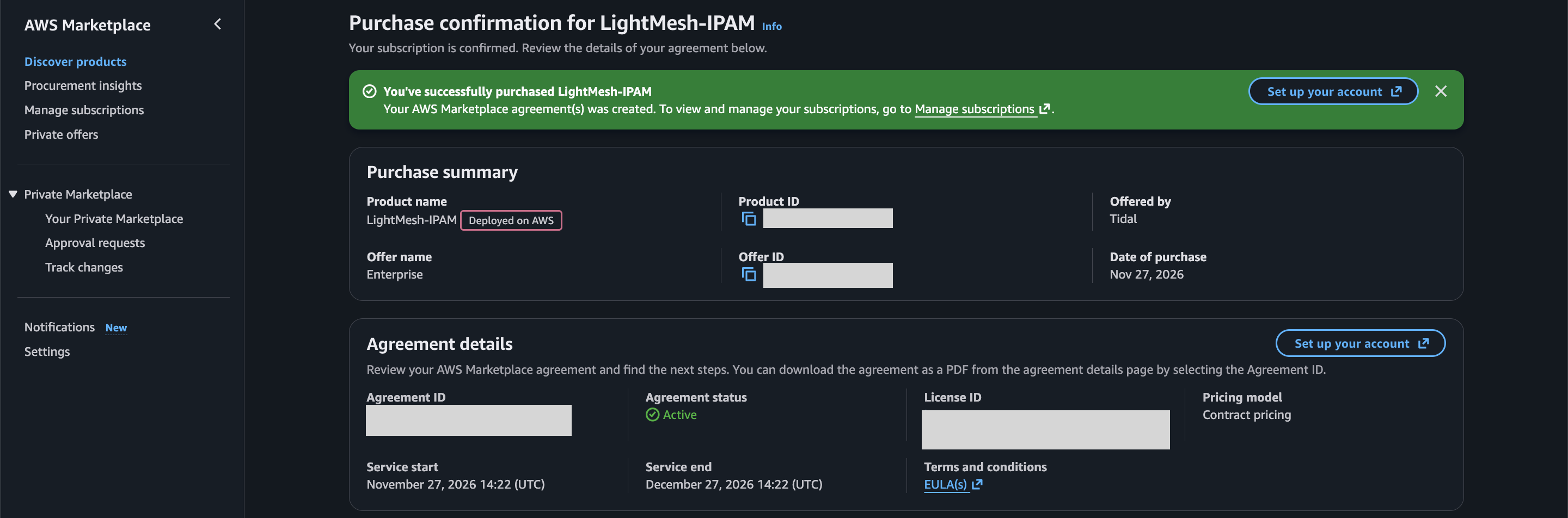
Subscribing in AWS does not finish the setup by itself. After you subscribe, AWS shows a purchase confirmation with Set up your account, which sends you into LightMesh so you can attach the Marketplace subscription to a workspace.
- On the AWS Marketplace purchase confirmation page, choose Set up your account.
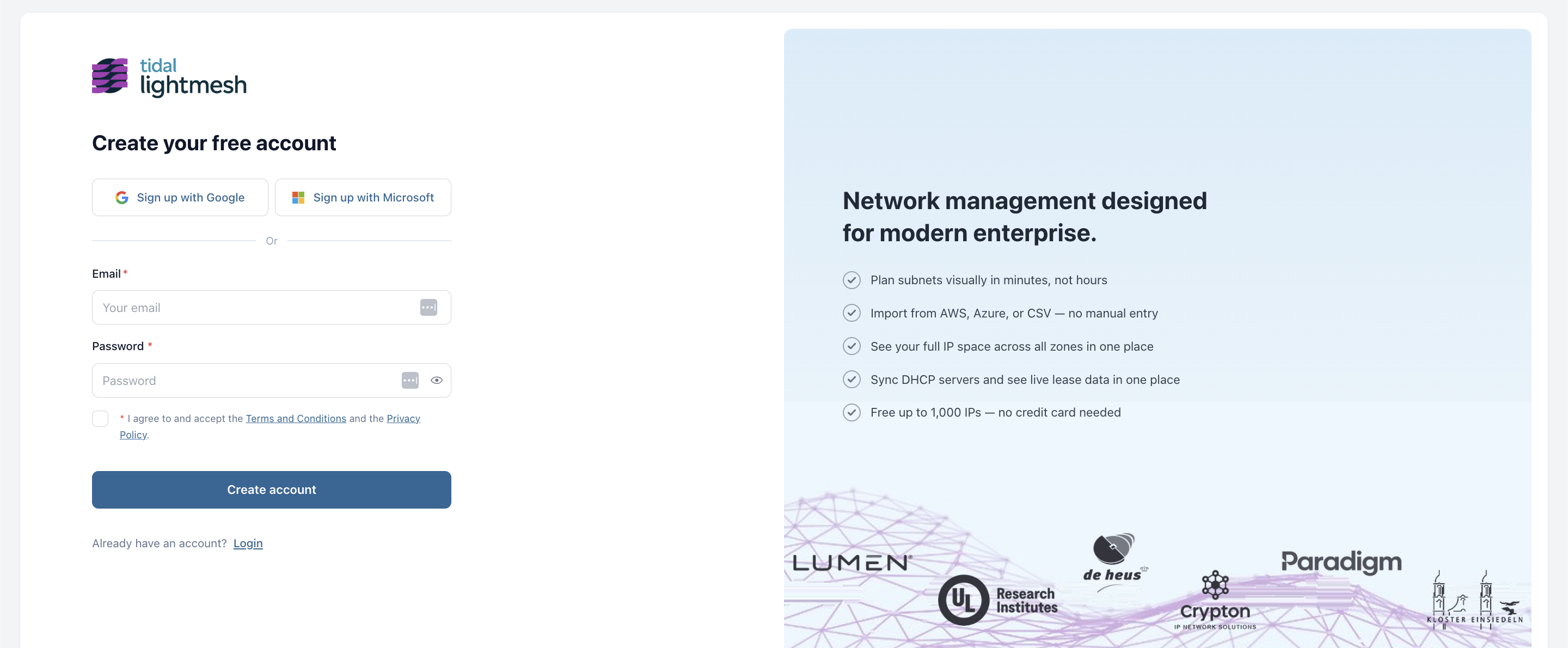
- LightMesh opens on Create your free account. If you are new to LightMesh, complete registration. If you already have a LightMesh account, choose Login instead.
- Confirm the link. You must be an Owner or Administrator of the LightMesh organization you want to bill through AWS. Review the pending AWS account and organization name, then choose Link Marketplace subscription.

- When linking succeeds, LightMesh shows Marketplace linked. Choose Continue to LightMesh.

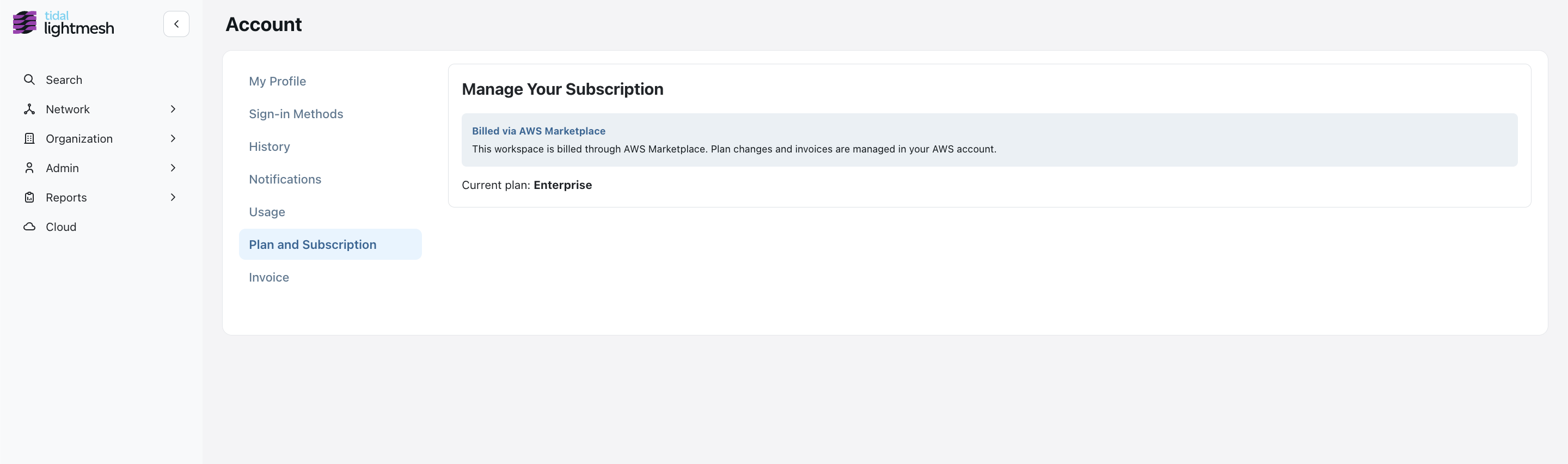
- In LightMesh, open Account > Plan and Subscription. You should see Billed via AWS Marketplace and your current plan. Plan changes and invoices are managed in your AWS account, not with a separate card in LightMesh.
If you are signed in but not an Owner or Administrator on step 3, switch to an eligible organization and open the confirm page again.
How billing works
Public Marketplace contracts are billed up front when you subscribe, and the charge appears on your AWS bill. Your finance team pays AWS as usual. You can see and manage the subscription in the AWS console under AWS Marketplace > Manage subscriptions.
Enterprise plans: private offers
Enterprise plans are not bought from the public listing. We prepare a private offer for your AWS account with the terms we’ve agreed with you, and you accept it in AWS Marketplace. Billing then works the same way, on your AWS invoice.
To start, contact us with your AWS account ID and what you need.
Buying through a reseller
If your organization buys software through a reseller, LightMesh is available through SHI, Liquid PC, CDW, and more. Ask your account manager there for LightMesh by Tidal.
Changing or cancelling
Changes to a Marketplace subscription are made in AWS Marketplace, under Manage subscriptions. For changes to an Enterprise private offer, contact us. Marketplace contracts are paid up front for the 12- or 36-month term and follow our customer terms, which the listing links to.
Related
- LightMesh datasheet, to share with your team when you plan the purchase.
- LightMesh pricing